 |
Tesseract 0.28.4
|
|
Tesseract 0.28.4
|
Tesseract's collision checking system supports discrete and continuous contact queries with a plugin-based architecture.
Tesseract provides a high-performance collision checking system that understands nothing about robot connectivity — it purely manages collision objects, their transforms, and contact queries. This separation of concerns makes the collision system flexible and reusable across different contexts.
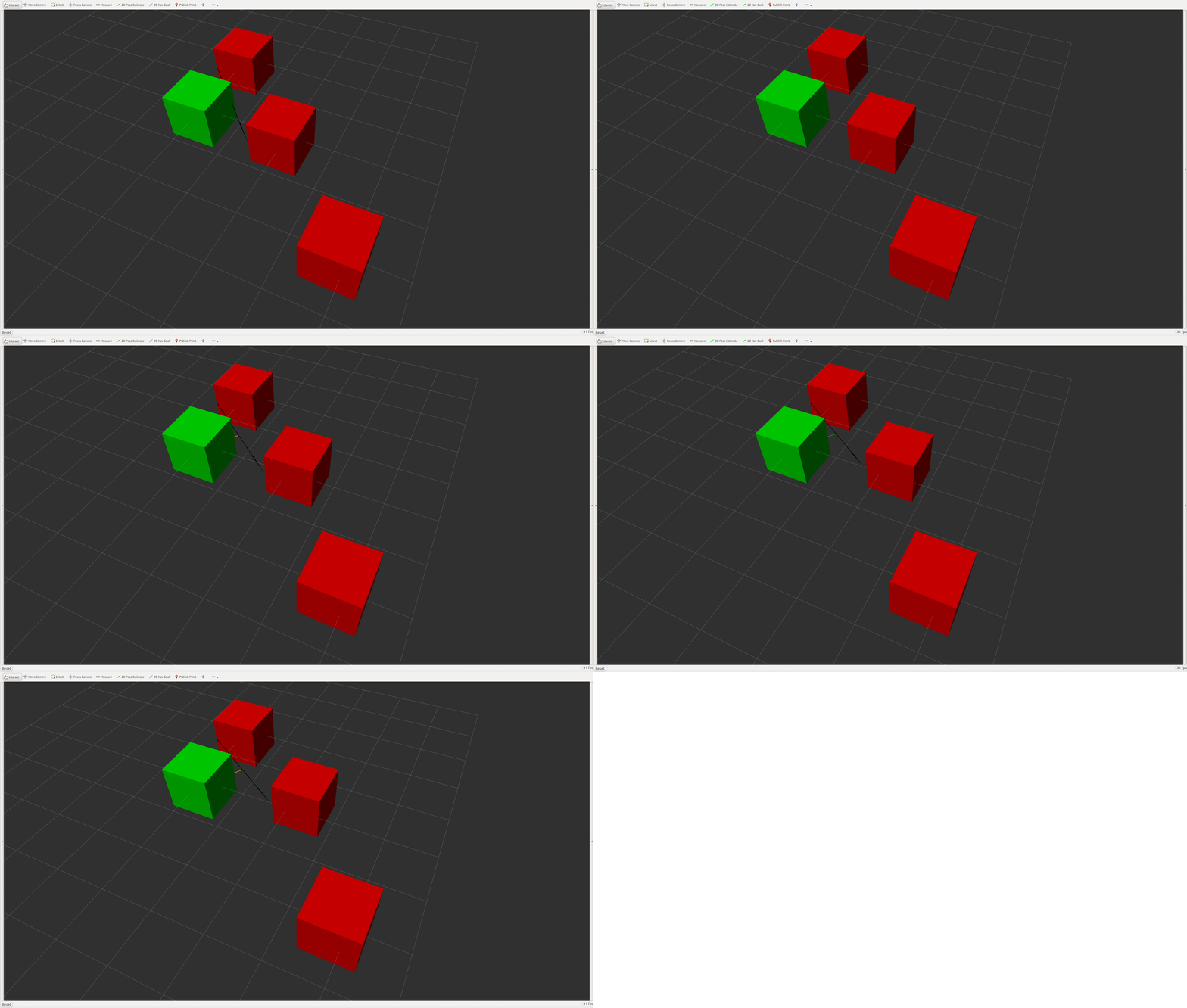
The collision system supports two modes of operation:
Contact managers are loaded as plugins through a YAML configuration file referenced in the SRDF. This allows you to swap collision backends without changing any application code.
The configuration has four sections:
| Section | Description |
|---|---|
search_paths | Directories to search for plugin libraries (searched in order) |
search_libraries | Specific libraries to search for plugin classes |
discrete_plugins | Discrete contact manager plugin definitions |
continuous_plugins | Continuous contact manager plugin definitions |
Example Configuration:
The collision system provides these core capabilities:
The contact test type controls how many contacts are reported per query:
| Contact Test Type | Description | Best For |
|---|---|---|
ContactTestType::FIRST | Exit on first contact found | Planners like Descartes and OMPL that only need a boolean collision check |
ContactTestType::CLOSEST | Store only the closest contact for each collision object pair | Planners like TrajOpt that need distance gradients |
ContactTestType::ALL | Store all contacts for each collision object pair | Detailed analysis, TrajOpt with full contact information |
| Contact Checker | Type | Description |
|---|---|---|
| BulletDiscreteBVHManager | Discrete | Leverages Bullet Physics BVH for discrete contact checking |
| BulletCastBVHManager | Continuous | Uses Bullet Physics BVH with casted convex hulls between two link poses |
| BulletDiscreteSimpleManager | Discrete | Naive Bullet implementation that loops over all pairs. Can be faster in small environments. |
| BulletCastSimpleManager | Continuous | Naive continuous implementation with pair-wise loops. Can be faster in small environments. |
| FCLDiscreteBVHManager | Discrete | Uses the Flexible Collision Library (FCL) for discrete contact checking |
| GPUDiscreteBVHManager | Discrete | GPU/CPU accelerated contact checking |
Tesseract's Bullet-based collision checking is significantly faster than FCL across all contact test types:
FCL Comparison (Tesseract Bullet vs FCL)
| Test Mode | FIRST | CLOSEST | ALL |
|---|---|---|---|
| Contact Only | 3x Faster | 19x Faster | 19x Faster |
| Penetration | 2x Faster | 15x Faster | 15x Faster |
| Distance | 6,000x Faster | 265x Faster | 265x Faster |
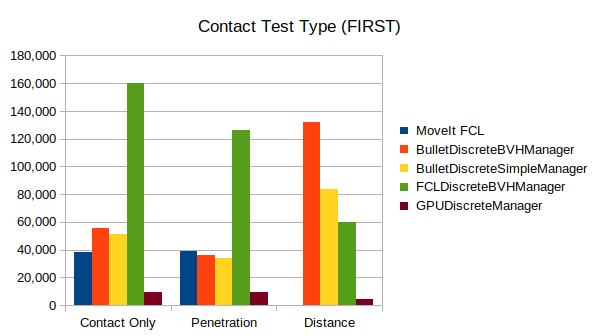
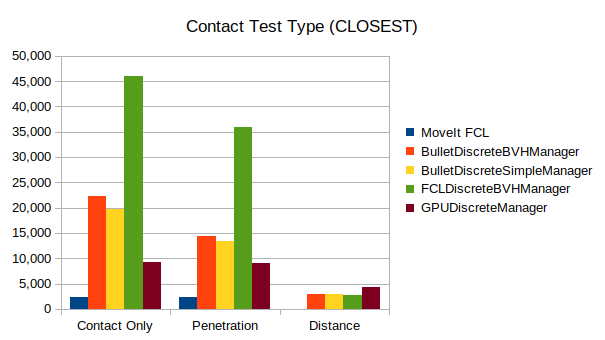
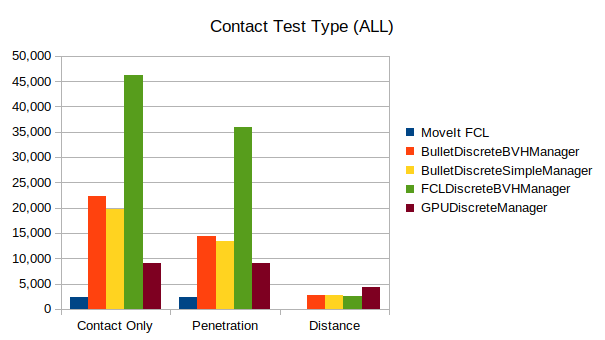
See the Box-Box Collision Example for a complete walkthrough that demonstrates:
 1.9.8
1.9.8