 |
Tesseract 0.28.4
|
|
Tesseract 0.28.4
|
The scene graph manages robot connectivity and provides the foundation for environment modeling.
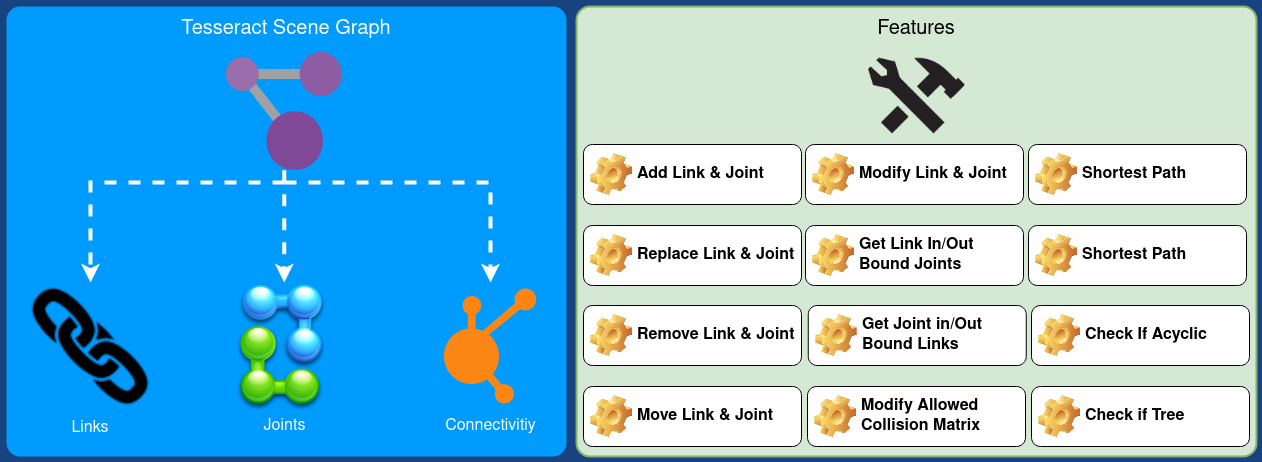
The scene graph is the core data structure in Tesseract that manages the connectivity of links and joints in your robot and workcell. It inherits from Boost Graph, giving you access to the full suite of Boost graph algorithms for traversal, search, and analysis.
A scene graph represents relationships between links (rigid bodies) and joints (connections with degrees of freedom). While most robots are naturally tree-structured (each link has exactly one parent), Tesseract's scene graph supports acyclic graphs — multiple paths can connect the same nodes, which is essential for modeling closed kinematic chains, parallel mechanisms, and complex workcells.
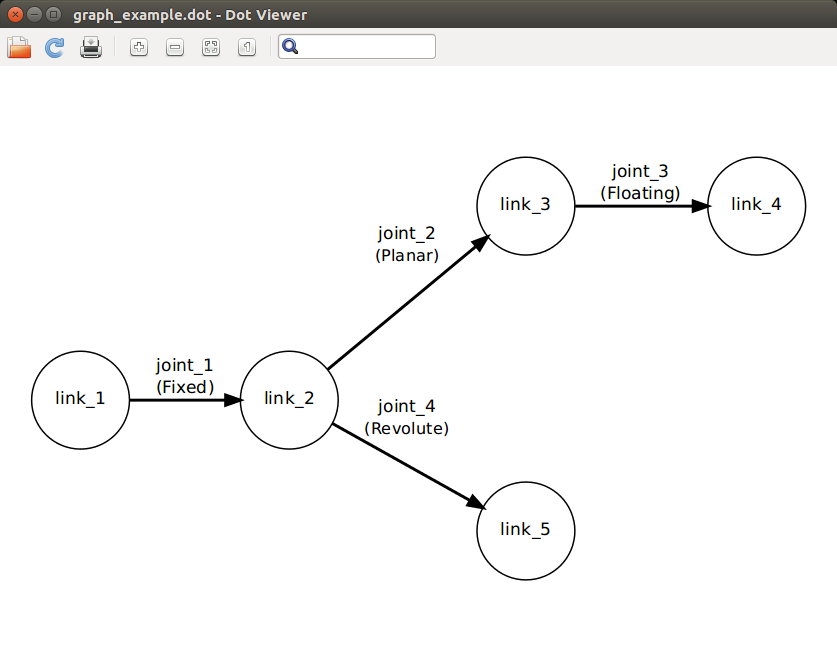
In a typical serial manipulator, each link connects to the next through a single joint, forming a tree:
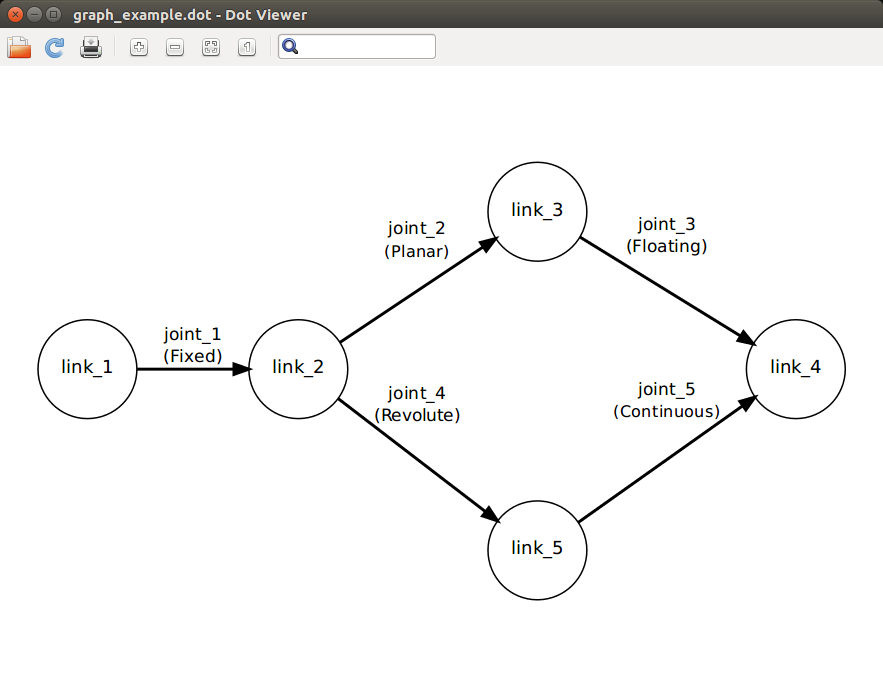
When additional joints connect non-adjacent links (e.g., a parallel gripper mechanism or a closed-chain robot), the graph becomes acyclic but is no longer a tree:
The scene graph provides the following capabilities:
Tesseract provides several example programs demonstrating scene graph operations:
Because Tesseract is ROS-agnostic, you need to provide a resource locator for resolving package:// URIs in URDF files. This is a simple interface you implement to map package names to filesystem paths. See the URDF loading example for a complete implementation.
You can export any scene graph to DOT format for visualization with Graphviz:
Then visualize with:
The scene graph can verify its own structure at runtime:
A graph that is not a tree but is acyclic contains parallel paths (closed chains). A graph that is not acyclic contains cycles and is invalid for kinematic computations.
 1.9.8
1.9.8