 |
Tesseract 0.28.4
|
|
Tesseract 0.28.4
|
Using Tesseract with ROS for visualization, environment monitoring, and motion planning.
While Tesseract is ROS-agnostic at its core, the tesseract_ros and tesseract_ros2 packages provide ROS integration for common workflows.
The ROS interface packages provide:
| Package | Purpose |
|---|---|
| tesseract_monitoring | Environment and contact monitoring via ROS topics/services |
| tesseract_rosutils | Conversion utilities between Tesseract and ROS message types |
| tesseract_rviz | RViz visualization plugins for Tesseract environments and trajectories |
| tesseract_msgs | ROS message definitions for Tesseract data types |
| tesseract_ros_examples | Example applications demonstrating ROS integration |
This example demonstrates a typical ROS workflow: loading a robot, creating an environment with obstacles, planning a Cartesian path, and visualizing the result in RViz.
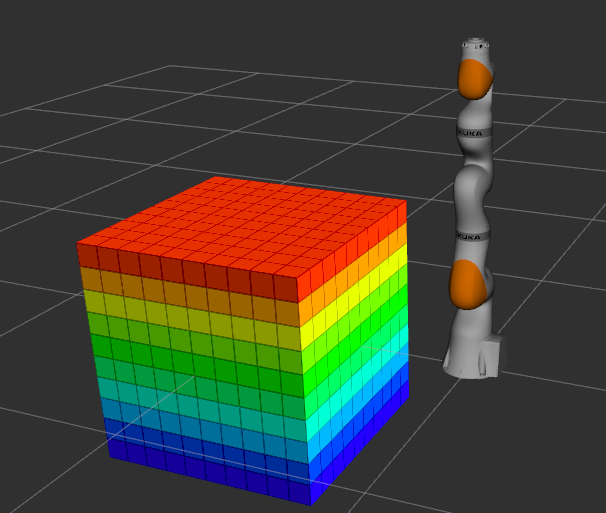
Open a terminal and launch the example (ROS 1):
Wait for RViz to finish loading. In the launch terminal, you'll see:
Press Enter to begin robot motion.
The robot traces a trajectory over a cube obstacle in the environment:
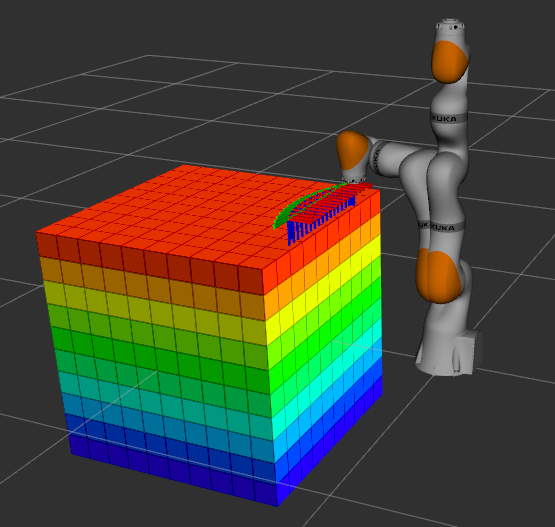
The example is organized as:
run()The workflow in the run() method is:
Provides two main components:
RViz plugins for visualizing:
Conversion utilities between Tesseract internal types and ROS messages. Handles serialization and deserialization for publishing Tesseract data over ROS topics.
 1.9.8
1.9.8